

8 Best Free Autotune VST Plugins

Disclosure: I may earn a commission from purchases made through affiliate links, at no extra cost to you. Affiliate Disclosure
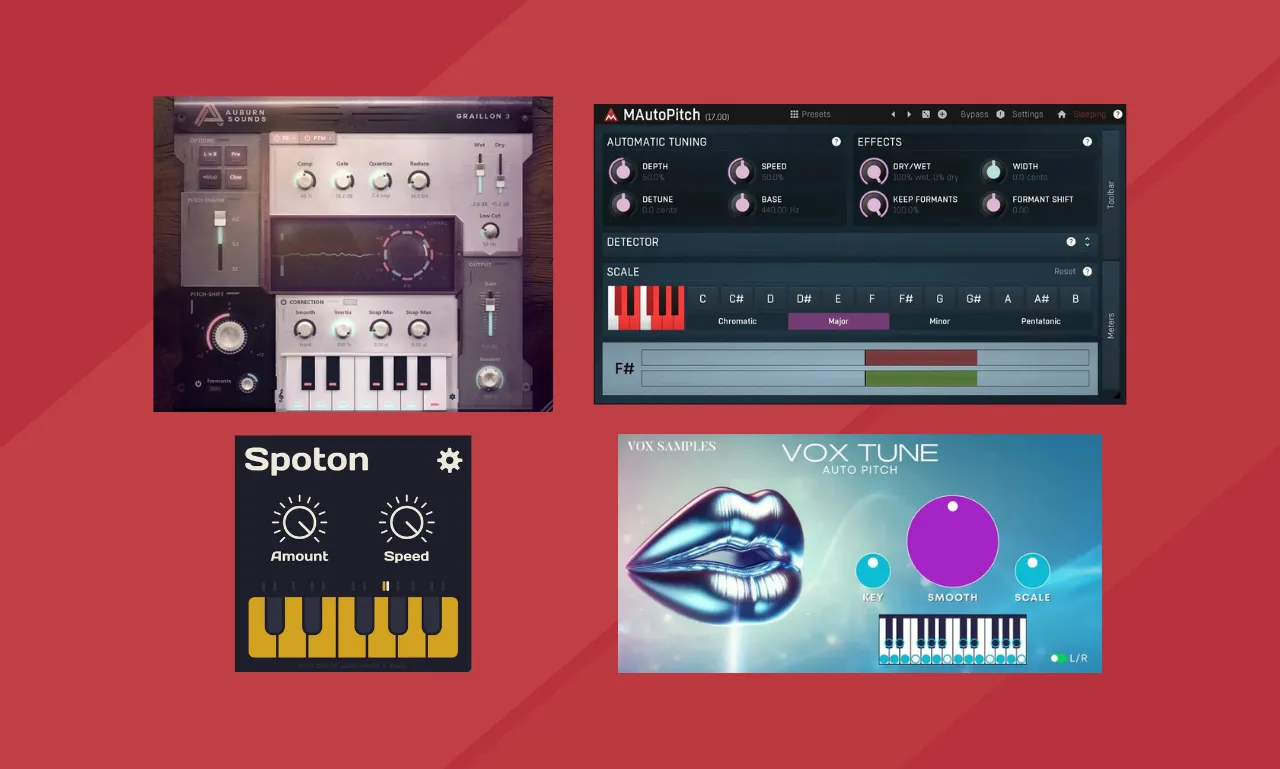
Image source: Manufacturer’s website
Pitch correction fixes off-key vocals or creates robotic effects like those heard in Trap and Hip Hop. This list covers 8 free autotune VST plugins to help you achieve the sound you want
The 8 Best Free Autotune VSTs
1. Graillon 3 (by Auburn Sounds) “Free Edition“

Graillon 3 is a free vocal pitch correction plugin that helps fix off-key notes and can create a hard-tuned vocal effect.
It features a pitch shifter, formant shifter, pitch correction, three pitch engines with different sounds, and built-in effects such as a compressor, gate, chorus, preamp, and bitcrusher.
The full version comes with three more features: Pitch-Tracking Modulation, alternative tuning options, and a vocal doubler.
2. MAutoPitch (by MeldaProduction)

MAutoPitch is a free vocal pitch-correction plugin from MeldaProduction. It has features like formant shifting, stereo expansion, and a limiter, giving you more ways to adjust your vocals.
This plugin is worth it if you want to correct vocal pitch or experiment with different vocal effects.
- Note: MAutoPitch is included in MeldaProduction’s MFreeFXBundle installer.
3. Pitchproof (by Aegean Music)

Pitchproof is a free pitch-shifting and harmonizing plugin. It allows you to select a musical key and add harmonic notes to vocal tracks or other instruments.
Use this plugin to create additional vocal harmonies or a “choir-like” effect from a single vocal recording. It is especially useful for producers who want to add harmonies without recording multiple vocal takes.
4. Spoton (by Sixth Sample)

Spoton is a free vocal pitch-correction plugin designed for simple, fast tuning. Its interface focuses on making pitch correction easy to use without too many controls to learn. It’s a good option for producers looking for a hard-tuned vocal effect.
5. GSnap (by GVST)

GSnap is a free vocal pitch-correction plugin that has been available for many years. Its MIDI control feature lets you choose specific notes that the plugin will follow when correcting your voice. This gives you great control over the final sound and lets you create custom vocal melodies.
6. KeroVee (by g200kg)

KeroVee is a free vocal pitch-correction plugin with controls for adjusting pitch drift and correction speed. These settings allow you to adjust the speed of note correction while maintaining some of the natural variations in your singing.
- Note: KeroVee is available for Windows only.
7. X42 Auto-Tune

X42 Auto-Tune is a free, open-source plugin that corrects small pitch errors in vocals. You can use MIDI notes or choose a set of notes to control the pitch correction. It is good for small adjustments rather than changing vocals to different notes.
8. Vox Tune (by Vox Samples)
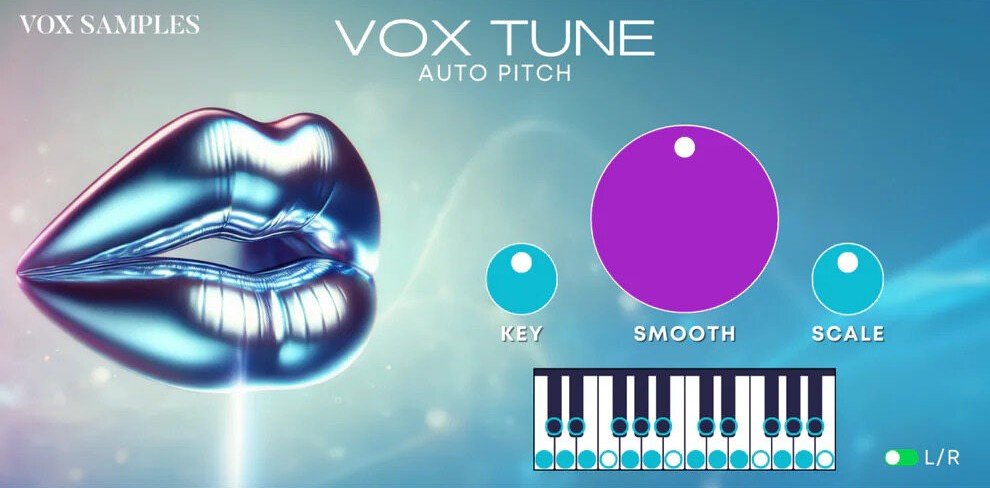
Vox Tune Auto Pitch is a vocal correction plugin that allows you to fix off-key notes. Select the key and scale, then adjust the correction to get either a robotic effect or a more natural-sounding result.
It also lets you select individual notes for pitch correction. The plugin works with one vocal track at a time.
- Note: You must enter your email on their website to get the download link.
Free vs. Paid Autotune
Free plugins are great for robotic vocal effects, but some can be less effective for natural pitch correction.
If you are recording professional vocals and wish to correct errors without the pitch correction being noticeable, paid plugins such as Antares Auto-Tune, Melodyne 5, and Waves Tune Real-Time offer more advanced control over pitch correction.
- My Recommendation: Start with Graillon 3. If you need more features, try Waves Tune Real-Time or Antares Auto-Tune.
3 Tips for Better Pitch Correction
1. Set the key and scale
Always set the plugin to the correct key and scale of your song (e.g., C minor). If you choose the wrong settings, your vocals may sound out of tune.
2. Adjust the retune speed
- 0 ms (Fast): Creates a robotic vocal effect, often heard in Trap and Hip Hop.
- 20–40 ms (Slower): Gives a more natural sound by allowing some natural pitch changes to remain.
3. Low-cut vocal if needed
Use an EQ before your autotune plugin to remove unwanted low frequencies. A low-cut filter around 80–100 Hz helps clean up the vocal recording, but adjust it so it doesn’t remove too much of the voice.
Frequently Asked Questions
Can I use free pitch correction plugins on instruments?
Yes. They work best on single-note instruments like bass, lead guitar, violin, and horns. They may not work as well on chords, such as piano chords or strummed guitar, because multiple notes are played at the same time.
What is the difference between pitch correction and pitch shifting?
Pitch correction fixes notes that are out of tune. Pitch shifting changes the pitch of a sound higher or lower, such as raising a guitar track by three semitones.
Can I use more than one pitch correction plugin on the same vocal?
Choosing the best free autotune VST depends on the vocal sound you want. If you’re looking for an aggressive, robotic Trap effect, Graillon 3 is a strong option. For more natural-sounding Pop vocals, MAutoPitch is a good choice.
Final Thoughts
Choosing the best free autotune VST depends on the vocal sound you want. If you’re looking for an aggressive, robotic Trap effect, Graillon 3 is a strong option. For more natural-sounding Pop vocals, MAutoPitch is a good choice.
All the plugins in this list give you a good starting point for vocal pitch correction without spending money. Try the options that best suit your needs and adjust the settings to find the sound you want.
➤ You Might Also Like
- 10 Best Budget Audio Interfaces in 2026
- Audient iD14 MKII Review
- 12 Best Free Reverb VST Plugins
- 15 Best Free Synth VST Plugins
- 15 Best Free Piano VST Plugins

Amine Fariss is the founder of AudioPluginList and has been producing music since 2005. He writes reviews and guides about audio plugins and music production equipment, using his own experience with music production and information from official product documentation.